<img height="1" width="1" style="display:none" src="https://www.facebook.com/tr?id=1389093422938439&amp;ev=PageView&amp;noscript=1">
Skip to content

Layout 1 – Agency Showcase

Showcase your services, achievements, testimonials, and company highlights in a modern responsive bento grid.

12+

Years experience

500+

Happy clients

4.9

Rated on Google

Our team consistently delivers exceptional digital solutions with creativity, precision, and measurable business results.

Layout 2 – SaaS Product

Highlight product features, customer trust, company growth, and user satisfaction using flexible content blocks.

4.8

Customer Rating

Thousands of businesses rely on our platform to streamline operations and improve productivity every day.

99.9%

Platform Uptime

25K+

Active Users
Documentation

Everything You Need to Know About Bento Grid Showcase

Overview

The Bento Grid Module is a premium HubSpot CMS module that helps you build attractive, content-rich bento grid sections using customizable cards. Whether you're highlighting company metrics, featured services, client testimonials, portfolio items, or promotional content, this module provides complete control over the layout and styling.

Built with performance, responsiveness, and flexibility in mind, the module seamlessly adapts to desktops, tablets, and mobile devices while maintaining a clean, modern appearance. Every content block can be customized individually, making it suitable for agencies, SaaS businesses, startups, corporate websites, portfolios, and marketing landing pages.

Its drag-and-drop compatibility allows content editors to update text, buttons, images, colors, spacing, typography, and layouts directly within HubSpot without touching code.


Key Features

  • Multiple Bento Grid Layouts
  • Fully Responsive Design
  • Flexible Content Cards
  • Drag-and-Drop Editing
  • Individual Card Customization
  • CTA Integration
  • Typography Controls
  • Advanced Styling Options
  • Image & Logo Support
  • Performance Optimized
  • SEO-Friendly Structure
  • Reusable Across Pages

Available Layout Styles

Bento-layouts

Customisation Options

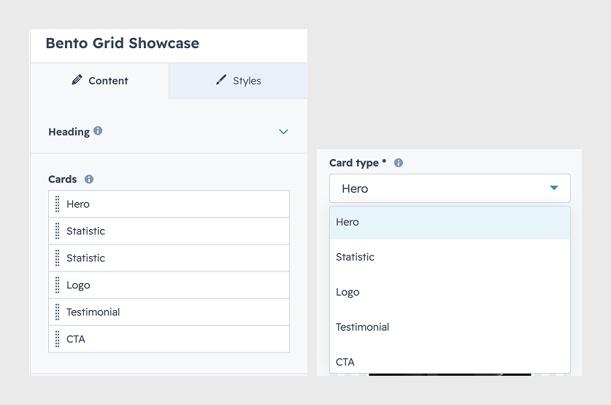
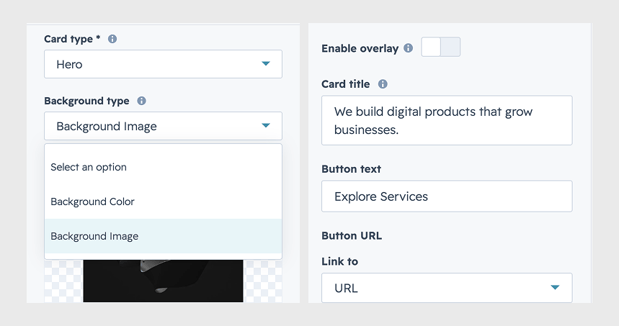
i. Content Management

  • Edit headings and descriptions.
  • Add custom statistics and business metrics.
  • Display testimonials or customer reviews.
  • Upload logos, images, and promotional graphics.
  • Configure multiple CTA buttons.

Bento-Contents


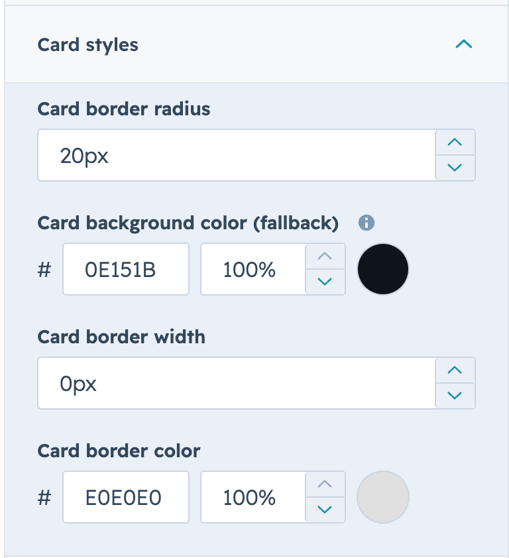
ii. Card Styling

  • Background color selection
  • Gradient backgrounds
  • Border radius
  • Box shadow controls
  • Card spacing and padding


bento-card-style


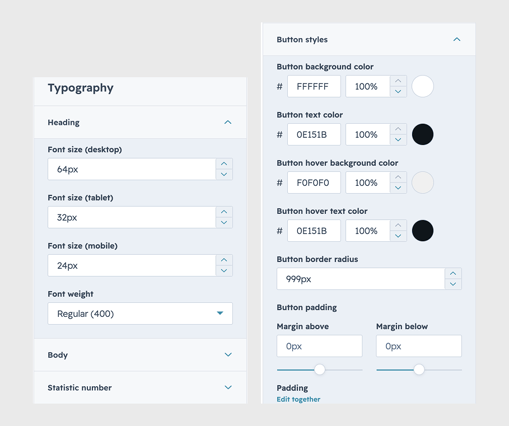
iii. Typography & Button Customization

bento-typography