---
title: Visual Accordion Pro
description: Learn how to set up and customize the Visual Accordion Pro HubSpot module with step-by-step instructions, layout options, and best practices.
image: https://limenzy.com/hubfs/Featured-3.png
---
[Skip to content](https://limenzy.com/hubspot/modules/visual-accordion-pro#main-content)
[](https://limenzy.com/)
- [Services](https://limenzy.com/our-services)
## The Catalyst for your Business Growth!
[Go to overview](https://limenzy.com/our-services)

Design
- [Logo Design](https://limenzy.com/logo-designing-company)
- [Web Design](https://limenzy.com/web-design-company)
- [Mobile App Design](https://limenzy.com/mobile-app-design)

Development
- [Mobile Application](https://limenzy.com/mobile-application-development)
- [Flutter Application](https://limenzy.com/flutter-app-development)
- [Web Development](https://limenzy.com/web-development-company)
- [Ecommerce website](https://limenzy.com/ecommerce-website-development)
- [Software Development](https://limenzy.com/software-development)
- [MERN Stack Development](https://limenzy.com/mern-stack-development)
- [Vibe Coded Application](https://limenzy.com/fix-vibe-coding)
- [AI Application](https://limenzy.com/ai-app-development)
- [Wordpress](https://limenzy.com/wordpress-website-development)
- [Shopify](https://limenzy.com/shopify-development)

Marketing
- [HubSpot](https://limenzy.com/hubspot-development)
- [SEO](https://limenzy.com/seo-services-company)
- [Works](https://limenzy.com/our-works)
- [About](https://limenzy.com/about-us)
- [Careers](https://limenzy.com/careers)
- [Contact](https://limenzy.com/contact)
- ### Speak with a sales expert!
Our team of experts is available around the clock to assist you in finding the perfect solution for your business.

[+91 9496245337](tel:+91%209496245337)
##### [ Schedule an appointment. Based on your convenience you can book an appointment.](https://meetings.hubspot.com/vipinanandvp?uuid=9c89dec0-eda3-4145-a086-6205a615144e)
- [Services](https://limenzy.com/our-services)
Show submenu for Services
- Design
Show submenu for Design
- [Logo Design](https://limenzy.com/logo-designing-company)
- [Web Design](https://limenzy.com/web-design-company)
- [Mobile App Design](https://limenzy.com/mobile-app-design)
- Development
Show submenu for Development
- [Mobile Application](https://limenzy.com/mobile-application-development)
- [Web Application](https://limenzy.com/web-development-company)
- [Shopify](https://limenzy.com/shopify-development)
- [Wordpress](https://limenzy.com/wordpress-website-development)
- Marketing
Show submenu for Marketing
- [Hubspot](https://limenzy.com/hubspot-development)
- [SEO](https://limenzy.com/seo-services-company)
- [Works](https://limenzy.com/our-works)
- [About](https://limenzy.com/about-us)
- [Careers](https://limenzy.com/careers)
- [Contact](https://limenzy.com/contact)
- [Services](https://limenzy.com/our-services)
Show submenu for Services
- Design
Show submenu for Design
- [Logo Design](https://limenzy.com/logo-designing-company)
- [Web Design](https://limenzy.com/web-design-company)
- [Mobile App Design](https://limenzy.com/mobile-app-design)
- Development
Show submenu for Development
- [Mobile Application](https://limenzy.com/mobile-application-development)
- [Web Application](https://limenzy.com/web-development-company)
- [Shopify](https://limenzy.com/shopify-development)
- [Wordpress](https://limenzy.com/wordpress-website-development)
- Marketing
Show submenu for Marketing
- [Hubspot](https://limenzy.com/hubspot-development)
- [SEO](https://limenzy.com/seo-services-company)
- [Works](https://limenzy.com/our-works)
- [About](https://limenzy.com/about-us)
- [Careers](https://limenzy.com/careers)
- [Contact](https://limenzy.com/contact)
Marketplace Module
# Visual Accordion Pro
Visual Accordion Pro helps you create engaging, media-rich content sections with modern accordion layouts. Showcase images or videos alongside your content using three flexible display styles, including individual media for each item and dynamic sticky media panels that update seamlessly as visitors interact with your content. Perfect for services, features, FAQs, portfolios, case studies, and product showcases.
[Get This Module](https://app-na2.hubspot.com/ecosystem/6785497/marketplace/modules/visual-accordion-pro-module-by-limenzy-technologies-pvt-ltd)
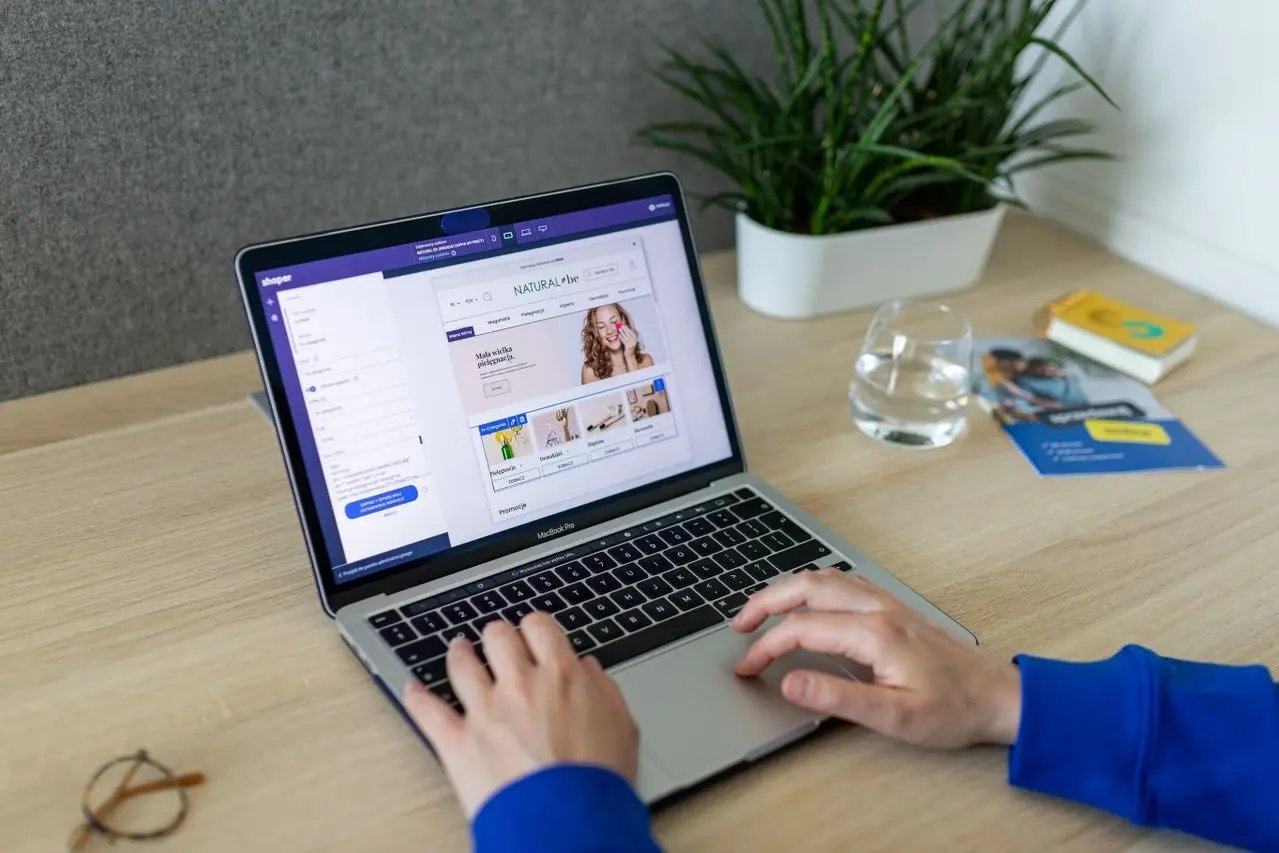
## Layout 1 - Individual Media Accordion
Display a unique image or video for each accordion item as it expands. Perfect for showcasing services, features, FAQs, portfolios, or case studies with dedicated visual content that enhances every section.
Brand Identity Design
Build a memorable brand identity with distinctive logos, typography, color palettes, and visual guidelines that communicate your values and create lasting impressions across every customer touchpoint.
Learn More

Website Design & Development
We craft modern, responsive websites that combine exceptional user experience with scalable development to help businesses grow, engage visitors, and convert more leads.
Learn More

Digital Marketing Strategy
Reach the right audience through data-driven marketing campaigns, SEO, paid advertising, and content strategies that increase visibility and generate measurable results.
Learn More
## Layout 2 - Sticky Media Accordion
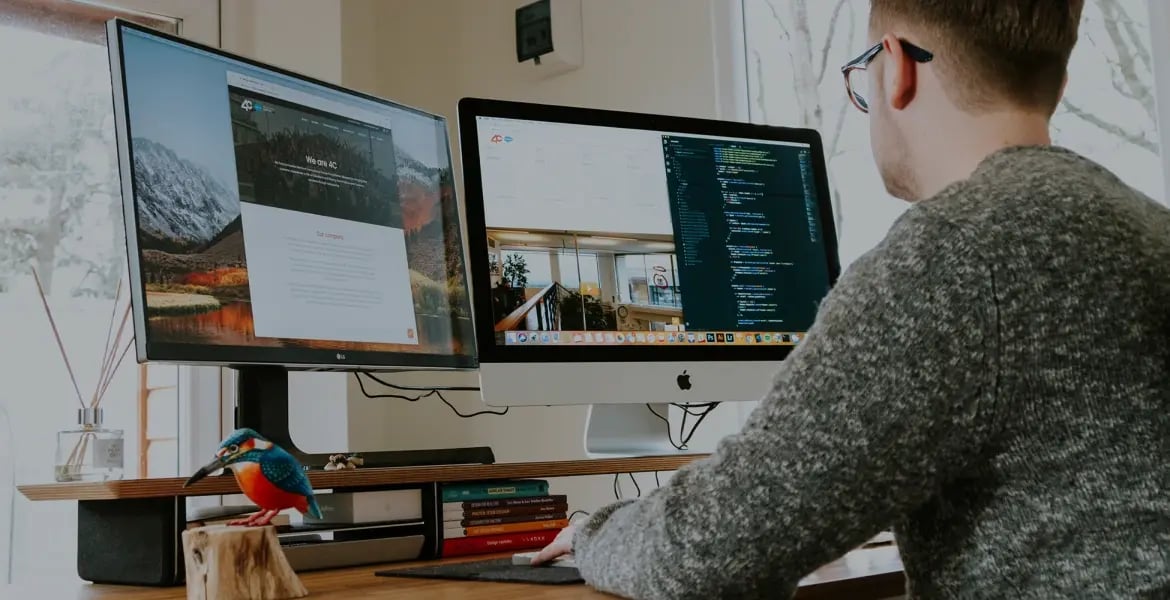
Keep the media panel fixed while dynamically updating its image or video based on the selected accordion item. Create a seamless and engaging browsing experience that keeps visitors focused on both content and visuals.
01 Mobile App Development
Build feature-rich mobile applications for iOS and Android that deliver smooth performance, engaging user experiences, and seamless integration with your business systems.
02 Custom Software Development
Develop tailored software solutions that automate workflows, streamline operations, and support your organization's unique processes and long-term business objectives.
03 Cloud & API Integration
Connect your applications and business tools through secure cloud services and API integrations, ensuring efficient data flow and improved operational productivity.
04 Ongoing Support & Maintenance
Keep your digital products secure, updated, and performing at their best with proactive monitoring, regular updates, bug fixes, and dedicated technical support.

## Layout 3 - Swap Layout with Dynamic Media
Present your content in a refreshed layout with synchronized media on the left and accordion content on the right. Images or videos update seamlessly as users explore each section, delivering an interactive and visually engaging browsing experience.
Conversion Rate Optimization
Turn more visitors into customers with data-driven optimization strategies. Improve user journeys, refine landing pages, and test key elements to maximize engagement and increase conversion rates.
Content Strategy & Copywriting
Deliver compelling content that informs, engages, and converts. From website copy to marketing campaigns, create consistent messaging that strengthens your brand and connects with your audience.
CRM & Marketing Automation
Streamline customer interactions with intelligent CRM solutions and automated marketing workflows. Nurture leads, improve team productivity, and deliver personalized experiences at every stage of the customer journey.


.webp?width=1024&height=1024&name=Schedule%20and%20coordinate%20%20(1).webp)
## Layout 4 - Content-Only Accordion Layout
Present information with clarity using a clean, text-focused accordion layout. Organize services, FAQs, feature lists, documentation, or product details into expandable sections that improve readability while keeping your pages simple, responsive, and easy to navigate.
What services do you offer?
We provide a comprehensive range of digital services, including website design and development, UI/UX design, branding, e-commerce solutions, digital marketing, SEO, and ongoing website maintenance. Our goal is to help businesses establish a strong online presence with solutions tailored to their unique objectives and long-term growth.
How long does it take to complete a project?
The project timeline depends on the scope, features, and complexity of your requirements. A standard business website typically takes between four and eight weeks to complete, while larger or more customized projects may require additional time. Before starting, we'll provide a detailed timeline with clear milestones to keep you informed throughout the process.
Can I customize the design?
Absolutely. Every project is designed to reflect your brand identity, target audience, and business goals. You can customize layouts, colors, typography, imagery, and functionality to ensure the final website aligns perfectly with your vision while providing an engaging user experience across all devices.
Do you provide ongoing support?
Yes. We offer reliable maintenance and support services to keep your website secure, up to date, and performing at its best. Our support includes software updates, security monitoring, bug fixes, content updates, performance optimization, and technical assistance whenever you need help after your website goes live.
Will my website be mobile-friendly?
Yes. Every website we build is fully responsive and optimized to deliver a seamless browsing experience across desktops, tablets, and smartphones. We ensure that your content, images, and interactive elements adapt beautifully to different screen sizes while maintaining excellent performance and usability.
Can you redesign my existing website?
Certainly. We can refresh your existing website with a modern design, improved user experience, faster performance, and enhanced functionality. Whether you need a complete redesign or targeted improvements, we'll create a solution that better reflects your brand and supports your business goals.
What industries do you work with?
We work with businesses across a wide variety of industries, including technology, healthcare, education, finance, real estate, retail, hospitality, and professional services. Our flexible approach allows us to create tailored digital solutions that meet the unique needs of each industry and its customers.
Documentation
## Everything You Need to Know About Visual Accordion Pro
## Overview
Visual Accordion Pro is a feature-rich HubSpot module that helps you organize and present content through elegant, interactive accordion layouts. Designed for flexibility and ease of use, the module enables you to create engaging sections that combine expandable content with rich media, making it ideal for modern business websites.
The module includes four professionally designed layout styles, allowing you to choose the presentation that best fits your page design and content requirements:
- **Layout 1 – Individual Media Accordion:** Each accordion item displays its own dedicated image or video when expanded.
- **Layout 2 – Sticky Media Accordion (Content Left):** A fixed media panel on the right updates dynamically as visitors select different accordion items.
- **Layout 3 – Sticky Media Accordion (Media Left):** A mirrored version of Layout 2 with the media panel positioned on the left and accordion content on the right.
- **Layout 4 – Content-Only Accordion:** A clean, distraction-free layout designed for text-focused content without images or videos.
Visual Accordion Pro supports both **images and videos**, giving you the flexibility to showcase rich media alongside your content. Whether you're highlighting product features with images or embedding promotional and explainer videos, the module helps create a more engaging and interactive user experience.
The module is highly customizable, allowing you to configure typography, colors, spacing, borders, icons, buttons, animations, media positioning, and responsive behavior directly within the HubSpot page editor. Thanks to its drag-and-drop compatibility, content editors can easily manage accordion items and customize layouts without any coding knowledge.
Visual Accordion Pro is suitable for a wide range of use cases, including:
- Service and solution showcases
- Product feature highlights
- Frequently Asked Questions (FAQs)
- Case studies and success stories
- Portfolio presentations
- Team and company information
- Process and workflow explanations
- Documentation and knowledge base content
- Pricing and package details
- Product specifications and comparisons
## Key Features
- 3 Flexible Layout Styles – Choose from individual media, sticky media (left or right), and content-only accordion layouts to match any page design.
- Image & Video Support – Display high-quality images, embedded videos, promotional clips, or explainer media directly inside accordion sections.
- Dynamic Sticky Media Panel – Keep media fixed while automatically updating visuals based on the selected accordion item for a seamless interactive experience.
- Content-Only Mode – Create clean, text-focused FAQ, documentation, or knowledge-base sections without media distractions.
- Fully Responsive Design – Optimized for desktop, tablet, and mobile devices with layouts that adapt smoothly across all screen sizes.
- Extensive Style Controls – Customize typography, colors, spacing, borders, shadows, icons, buttons, and section backgrounds from the module settings.
- Smooth Accordion Animations – Enhance user engagement with modern expand/collapse transitions and media change effects.
- Custom Icon Options – Use plus/minus icons, chevrons, arrows, or custom SVG icons to match your brand identity.
- CTA Button Support – Add optional call-to-action buttons such as “Learn More,” “View Details,” or “Get Started” within accordion items.
## Customisation Options
Visual Accordion Pro offers extensive customization options, allowing you to tailor every aspect of the accordion to match your website's branding and design requirements—all without writing code.
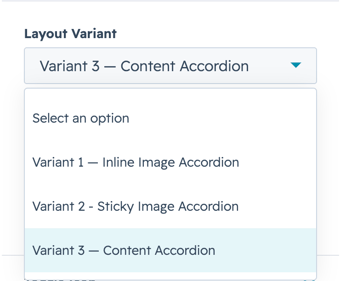
### i. Layout Selection
- Choose from 3 unique accordion layouts.
- Switch between individual media, sticky media (left or right), or a content-only layout.
- Select the layout that best suits your page structure and content.
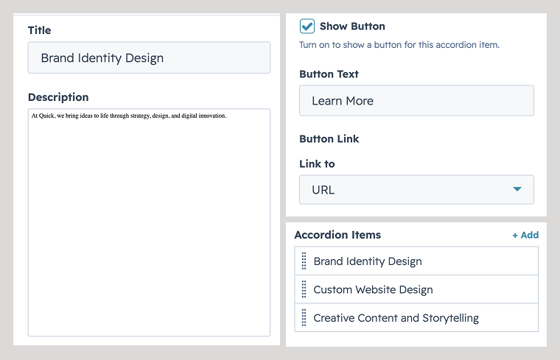
### ii. Accordion Content
- Add an unlimited number of accordion items.
- Customize titles, descriptions, and optional CTA buttons.
- Easily reorder items using HubSpot's drag-and-drop interface.
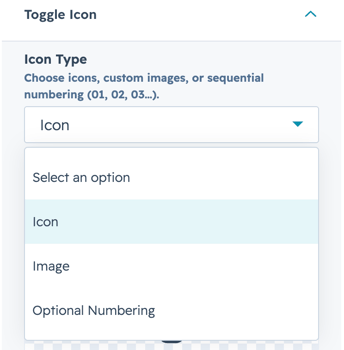
### iii. Icons
- Choose from multiple accordion icon styles.
- Customize icon colors and sizes.
- Configure active and inactive icon states to match your design.
### 
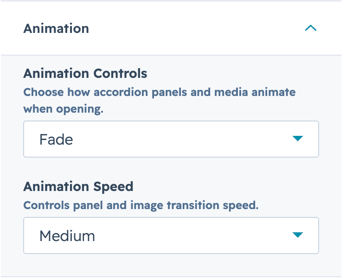
### iv. Animation Controls
- Configure smooth accordion expand and collapse animations.
- Enable seamless media transitions between accordion selections.
- Fine-tune interactions for a polished browsing experience.
You May Also Like
## Explore more professionally crafted HubSpot Marketplace modules
[](https://limenzy.com/hubspot/modules/image-marquee)
HubSpot
[Slider](https://limenzy.com/hubspot/modules/tag/slider)
### [Image marquee](https://limenzy.com/hubspot/modules/image-marquee)
[](https://limenzy.com/hubspot/modules/hero-with-feature-cards)
HubSpot
[Grid Cards](https://limenzy.com/hubspot/modules/tag/grid-cards)
### [Hero with Feature Cards](https://limenzy.com/hubspot/modules/hero-with-feature-cards)
Have a project for us?
## Let’s talk.
[Schedule Call](https://meetings-na2.hubspot.com/vipinanandvp?__hstc=57083445.f0579e2db2cbfa163757a2a1453efd5a.1780570789733.1782362957704.1782365162041.47&__hssc=57083445.6.1782365162041&__hsfp=b1431d06fba2833d31604d37c8f2573f&hsCtaTracking=44f3c519-7630-411f-8989-467530cffe8f%7C82e4a1c9-5a0e-491f-a357-d485367ab0f3&uuid=93ef3594-9abd-42b0-aa15-64ed4990b47b)
[](https://limenzy.com/)
We are experts in Web app & Mobile App development with more than 12 years of professional experience, and 1000+ customers around the globe.
### Office Address
Govt CyberPark, KSITIL SEZ, UB29, Sahya, Nellikode P.O, Kozhikode, Kerala-673 016, India
Design
- [Logo Design](https://limenzy.com/logo-designing-company)
- [Web Design](https://limenzy.com/web-design-company)
- [Mobile App Design](https://limenzy.com/mobile-app-design)
Development
- [Mobile Application](https://limenzy.com/mobile-application-development)
- [Flutter Application](https://limenzy.com/flutter-app-development)
- [Web Development](https://limenzy.com/web-development-company)
- [Ecommerce website](https://limenzy.com/ecommerce-website-development)
- [AI Application](https://limenzy.com/ai-app-development)
- [Wordpress](https://limenzy.com/wordpress-website-development)
- [Shopify](https://limenzy.com/shopify-development)
Marketing
- [Hubspot](https://limenzy.com/hubspot-development)
- [SEO](https://limenzy.com/seo-services-company)
Limenzy
- [Privacy Policy](https://limenzy.com/privacy-policy)
- [Terms and conditions](https://limenzy.com/terms-and-conditions)
- [Careers](https://limenzy.com/careers)
- [Pricing](https://limenzy.com/services-pricing)
- [FAQs](https://limenzy.com/faqs)
Recognized by:
[](https://www.trustpilot.com/review/limenzy.com) [](https://clutch.co/profile/limenzy-technologies#highlights)
Proud Member of:
[](https://nasscom.in/) [](https://www.startupindia.gov.in/) [](https://startupmission.kerala.gov.in/) [](https://www.cafit.org.in/) [](https://www.cyberparkkerala.org/)
US
PA
NL
IN
All right are reserved © 2026 Limenzy Technologies Pvt Ltd
```json
{
"@context" : "https://schema.org",
"@type" : "BlogPosting",
"author" : {
"@type" : "Person",
"name" : "Aswin Ashok",
"url" : "https://limenzy.com/hubspot/modules/author/aswin-ashok"
},
"dateModified" : "2026-08-07T08:12:48.797Z",
"datePublished" : "2026-07-27T05:55:13.000Z",
"headline" : "Visual Accordion Pro",
"image" : [ "https://limenzy.com/hubfs/Featured-3.png" ],
"mainEntityOfPage" : {
"@id" : "https://limenzy.com/hubspot/modules/visual-accordion-pro",
"@type" : "WebPage"
},
"publisher" : {
"@type" : "Organization",
"logo" : {
"@type" : "ImageObject",
"url" : "https://limenzy.com/hubfs/Logo-1.svg"
},
"name" : "Limenzy Technologies Pvt Ltd"
}
}
```
```json
{
"@context" : "https://schema.org",
"@type" : "VideoObject",
"contentUrl" : "https://6785497.fs1.hubspotusercontent-na2.net/hubfs/6785497/enquiry.mp4",
"dateModified" : "2025-01-23T05:21:33.799Z",
"duration" : "PT8.093S",
"height" : 480,
"name" : "enquiry",
"thumbnailUrl" : "https://6785497.fs1.hubspotusercontent-na2.net/hubfs/6785497/enquiry.mp4/medium.jpg",
"uploadDate" : "2025-01-23T05:21:33.793Z",
"width" : 852
}
```